Last Updated: May 2026
Kobo Notes Exporter
Overview —
Problem
I like to take notes and highlight my favourite quotes while reading on my Kobo e-reader, but getting those annotations off the device and into a format that matched my other notes was tedious and difficult.
Solution
I built a Python command-line tool that reads the Kobo’s SQLite database, retrieves highlights and notes by book, and exports them into clean Markdown or text files that fit my desired format.
Impact
The exporter gives me a repeatable way to move Kobo highlights into my personal note-taking system. Through the last 5 months of use, I began highlighting more and writing more notes because I knew the export process was now simple and reliable. I can now skip the tedious bits and focus more on the content of my books.
Interest from two other friends pushed me to think about designing beyond my own needs. After giving them access to the tool, it streamlined their note-taking in a similar way, and has given me new ideas for future improvements to the tool.
Tools
Python
SQL / SQLite
Poetry
Typer
Project Links
Details for nerds —
How It Works
The Kobo stores book metadata, chapter titles, highlights, and annotations inside a local SQLite database on the device.
The exporter creates a local copy of that database, queries the relevant tables, and reconstructs the relationships between books, chapters, and annotations using a Python script. From there, it formats the selected notes into a clean Markdown or text file.
At a high level:
Kobo device → SQLite database → Python processing → Markdown/TXT export
The tool also supports filtering by title, author, and recency, automatically detects a connected Kobo device, and organizes the exported highlights by chapter.
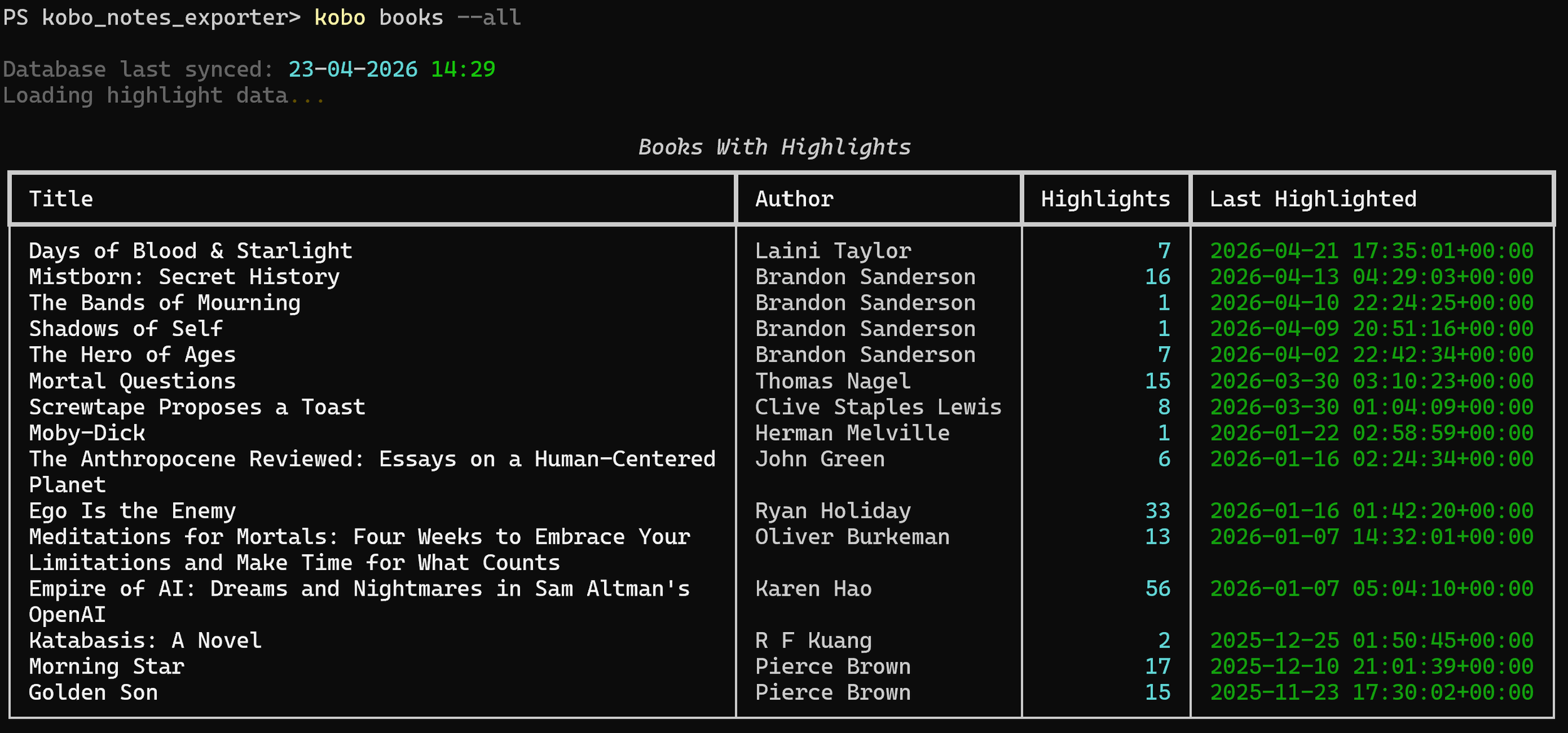
Ex. When the “books” command runs, it displays a table of recently highlighted books for the user to choose from.
Since this is a command-line tool, each of these actions is completed by running one of a few commands in the terminal, such as “kobo sync”, “kobo books”, or “kobo export” (see example screenshots).
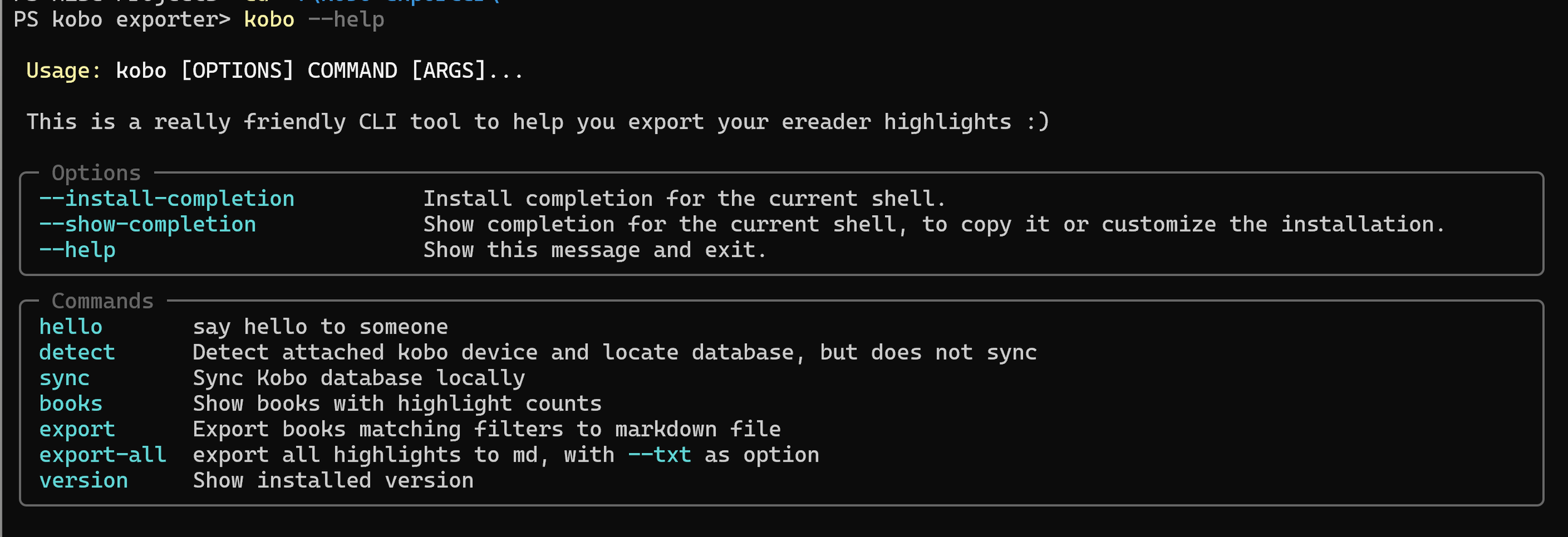
Ex. The tool uses simple, intuitive commands like “detect”, “sync”, “books”, and “exports” to complete each task.
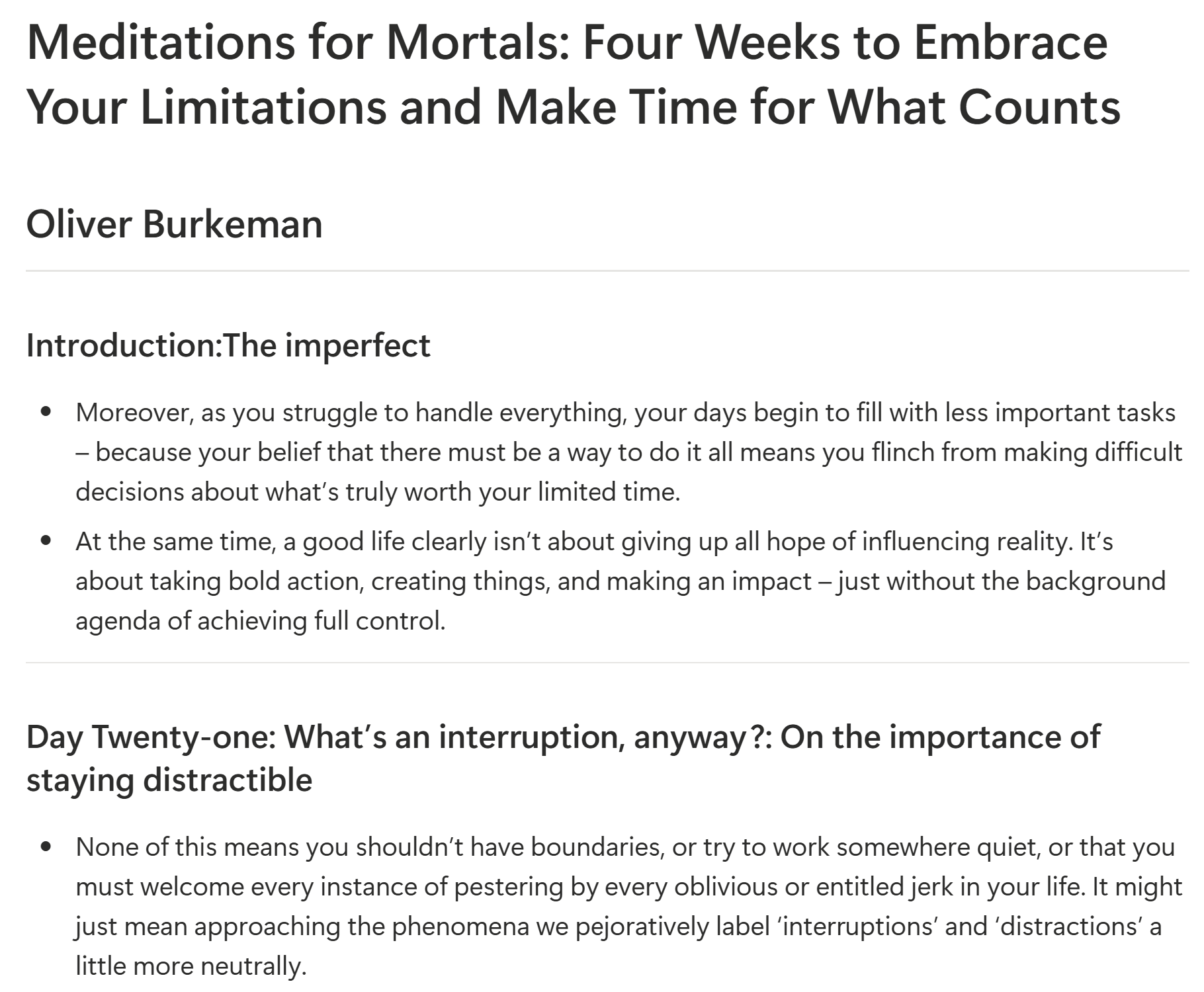
Ex. When the “export” command runs, a Markdown file formatted with title, author, and chapter titles is produced and stored in my chosen directory.
Key Challenges
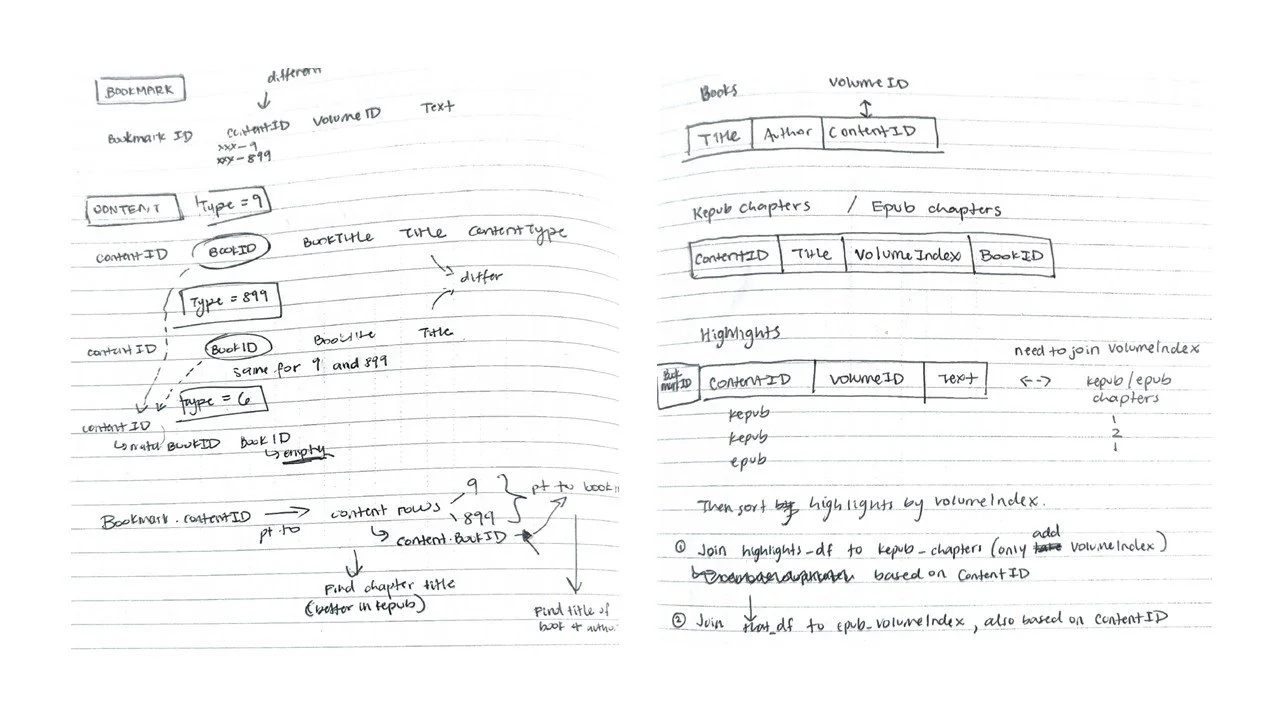
Understanding an unfamiliar database.
The biggest initial challenge was simply understanding how Kobo represented its data.
The information I needed was spread across multiple database tables, so I had to identify the relationships between them and write SQL joins that could reliably connect annotations with the correct books and chapters.
This was my first time working this deeply with the internal structure of an application database, and much of the development process involved testing assumptions against the real data.
Handling inconsistent data.
Some annotation records did not connect cleanly to their chapter records using the first approach I tried. I eventually added fallback logic that could match records using alternative identifiers when the direct relationship was missing.
This was a useful reminder that real-world data is often less consistent than the schema initially suggests.
Building for actual, long-term use.
In previous projects, I would have stopped once I had a working script I could use. This time, knowing I might want to share this with friends, other users, and my future self, I tried to package it all up properly.
I added device detection, local database caching, file validation, directory handling, and cleaner command-line controls so the exporter behaved more like a usable tool rather than a one-off script.
You can find lots more technical details in the README in the GitHub repo linked above.
OR, if you want to read more in depth about the development process and all the struggles I faced along the way, you can read the Substack post I wrote by clicking the button below. That includes details of the tool’s architecture, troubleshooting I had to do, future steps for the tool, and my own reflection on what I learned.